Teensy 4.0
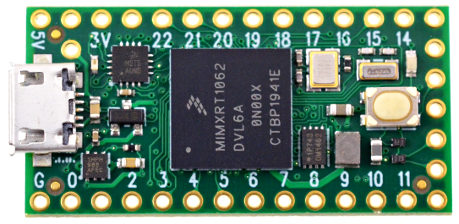
Vendor: PJRC
Features: External Flash, USB
Source on GitHub: mimxrt/TEENSY40
More info: Website
Installation instructions
For deploying the firmware use the Teensy Loader tool provided by PJRC on their web site. PJRC provides both a graphical and command line version for Windows, OS X and Linux. With the command line version, run the command:
teensy_loader_cli --mcu=imxrt1062 -v -w TEENSY40-<date_version_tag>.hex
or for Teensy 4.1:
teensy_loader_cli --mcu=imxrt1062 -v -w TEENSY41-<date_version_tag>.hex
Instead of imxrt1062 with the --mcu option, you can as well use the board specific names TEENSY40, TEENSY41 or TEENSY_MICROMOD. When loading the firmware the PJRC boot loader will erase the board file system.
Note: If the Teensy board is equipped with Teensy bootloader v1.07 and up, the first attempt to upload the firmware may fail. In that case try again.
Firmware
Releases
Preview builds
These are automatic builds of the development branch for the next release.